From reception to reporting

The core tools for a full clinic day

Modirify covers the whole dental clinic day: booking, reception and the waiting queue; the patient record and dental chart; billing, collections and expenses; inventory and lab orders; reports; and WhatsApp communication. Every module works inside the same clinic record instead of scattering information across notebooks, spreadsheets and separate apps.

✓ Available in 13 countries✓ Arabic and English✓ Web and Android

Appointments and reception

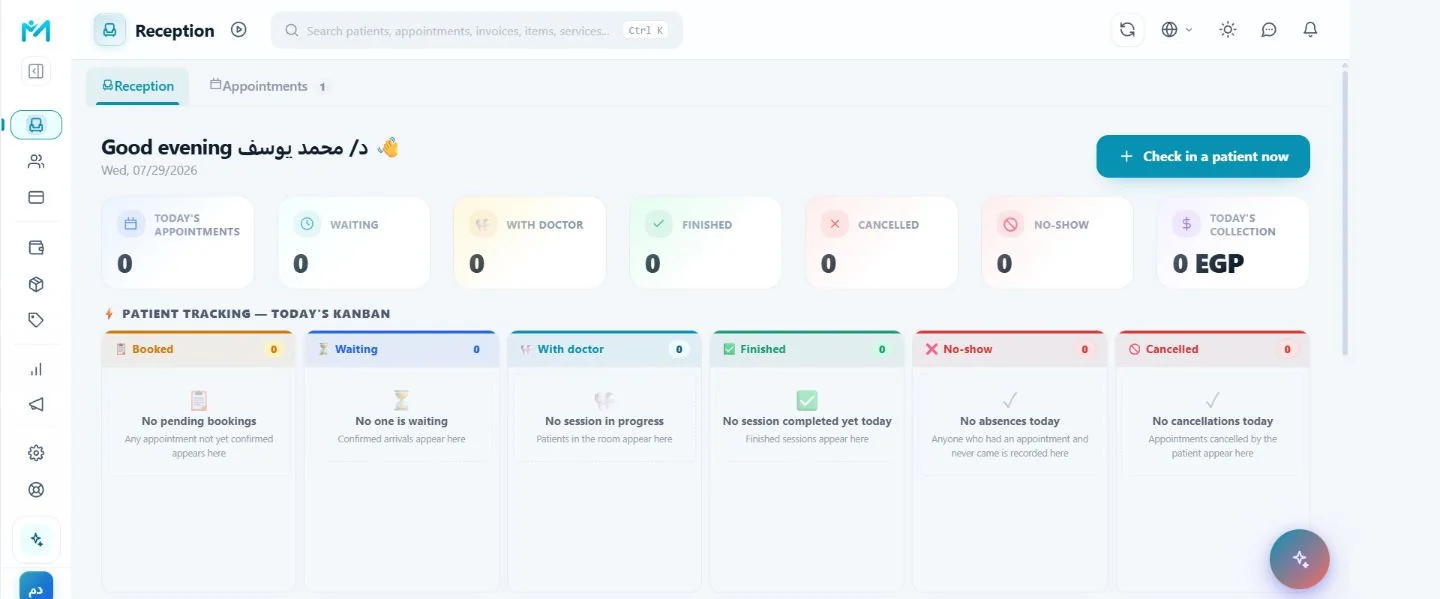
Manage bookings, waiting lists, visit status and the flow of the day.

Patient record

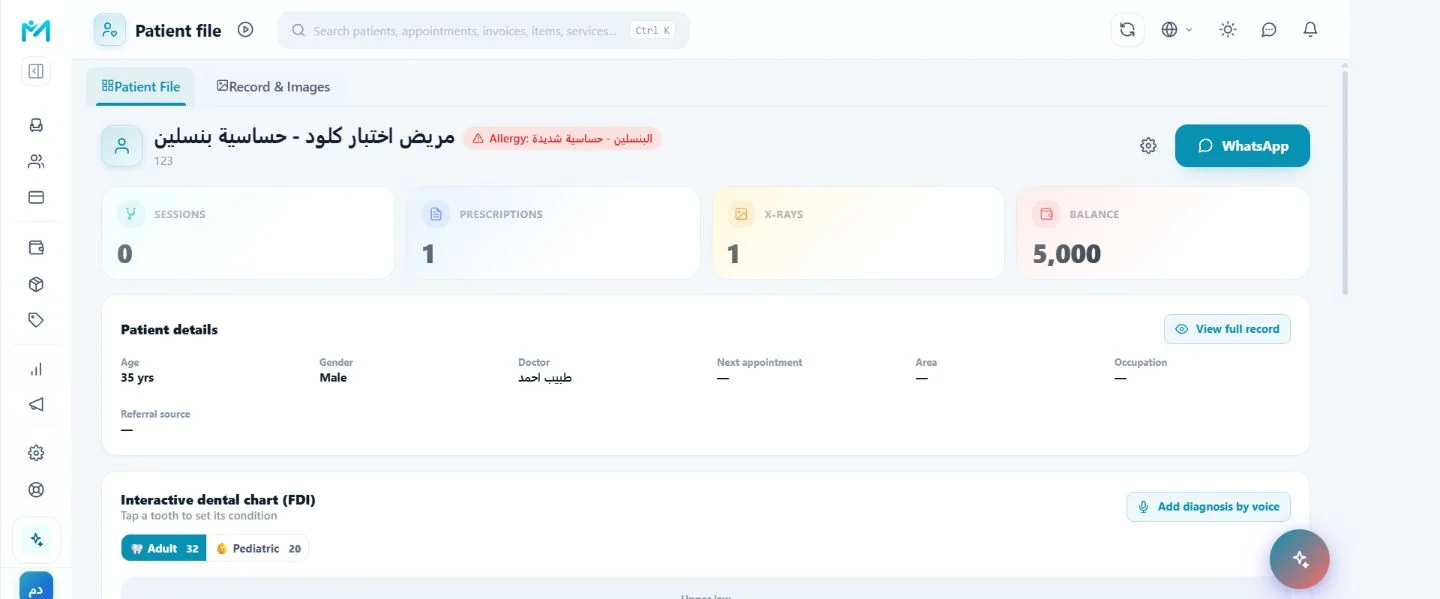
Keep patient details, treatment plans, images, X-rays and lab work in an organized record.

Billing and collections

Record services, payments and expenses and follow outstanding balances.

Stock and cost

Track items and consumption and connect materials to services to understand cost and margin.

Reporting

See operations, collections, stock and work performance more clearly from clinic data.

Communication and marketing

Reminders, messages and marketing tools are available according to plan, configuration and required consent.

The Modirify mobile app

Clinic management on Android

The Modirify app provides a phone-first experience so dentists and clinic teams can keep work moving on the device that suits them, with the same clinic data and permissions.

Available on Android

Your clinic. Wherever you are.

Download the app and sign in with your Modirify account.

Download onGoogle PlayOfficial app listing · opens the store in a new tab
01

Push notifications

Receive the alerts you choose on your phone, including when the app is closed.

02

Biometric app lock

Add fingerprint or face protection on devices that support biometric authentication.

03

Native mobile feel

Haptics, phone-friendly navigation, safe-area support and natural back-button behavior.

04

Continuous updates

Eligible interface and feature updates reach the app without disrupting normal clinic work.

Some functions and alerts depend on the plan, user permissions, phone settings and connectivity.
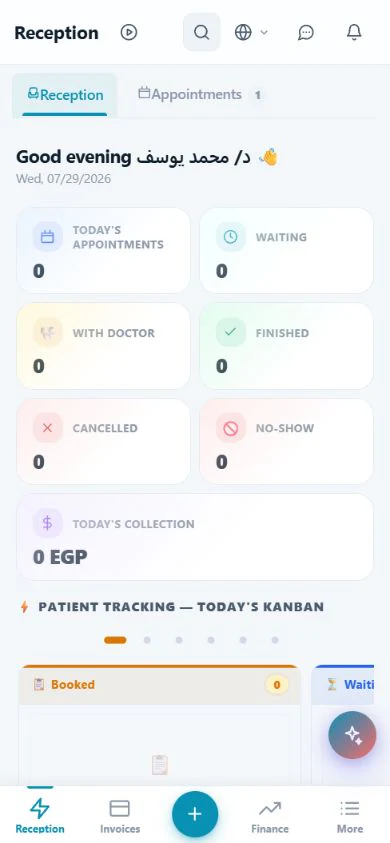
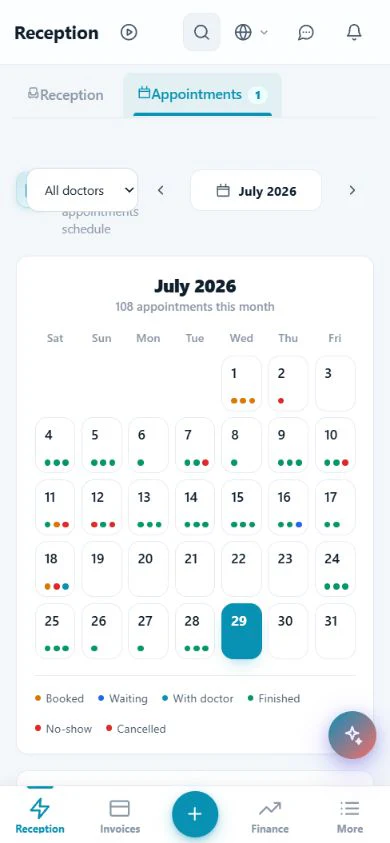
Reception
Reception
Appointments
Appointments
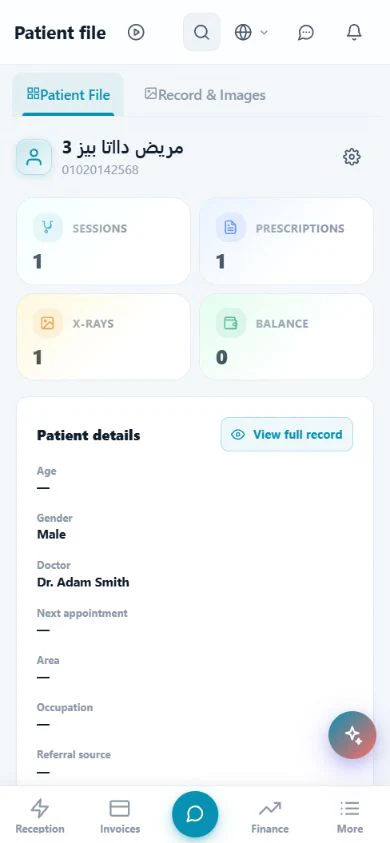
Patient record
Patient record
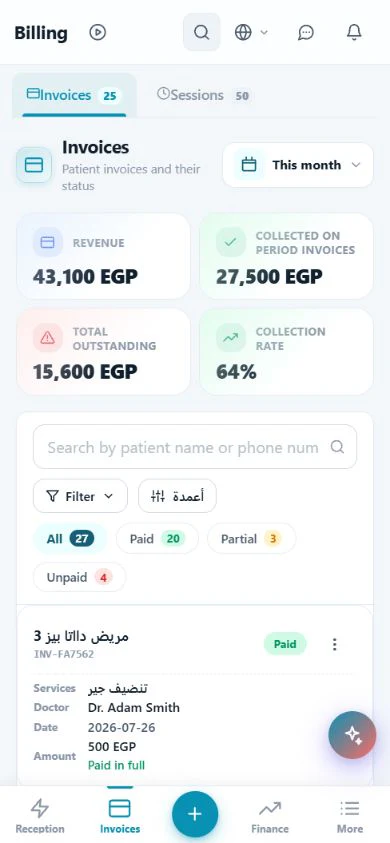
Billing
Billing
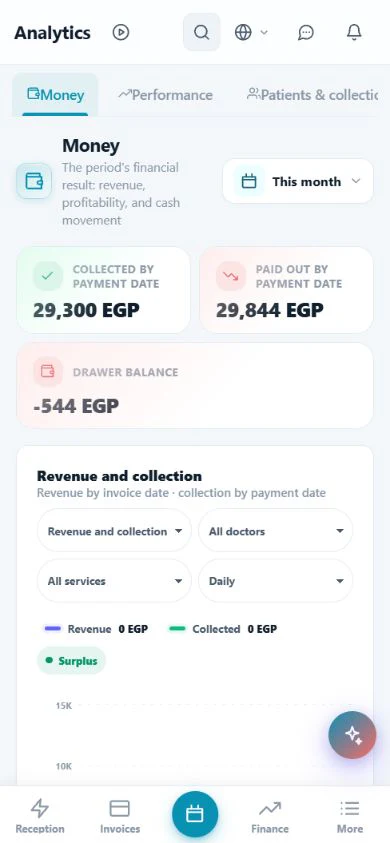
Analytics
Analytics

Reception and appointments01
01

Reception and appointments

Tools that organize the day from booking through visit completion.
  • Appointment calendar with create, edit and status controls.
  • Visual reception board for waiting, in-treatment and completed visits.
  • Waiting list and a clear daily patient-flow status.
Show remaining details
  • Public online booking link according to clinic settings.
  • WhatsApp appointment reminders and confirmations according to configuration, plan and consent.
  • Practitioner reassignment with available conflict checks.
Explore this feature
Patient and clinical record02
02

Patient and clinical record

One record for the patient’s administrative, clinical and financial context.
  • Patient details, contact channels and important medical alerts.
  • Treatment plan, tooth procedures and visit history.
  • Images, X-rays, documents and file attachments.
Show remaining details
  • Lab orders with status and cost tracking.
  • Patient financial summary, invoices and linked payments.
  • Undo-capable safe deletion for eligible operations instead of immediate removal.
Explore this feature
Billing and collections03
03

Billing and collections

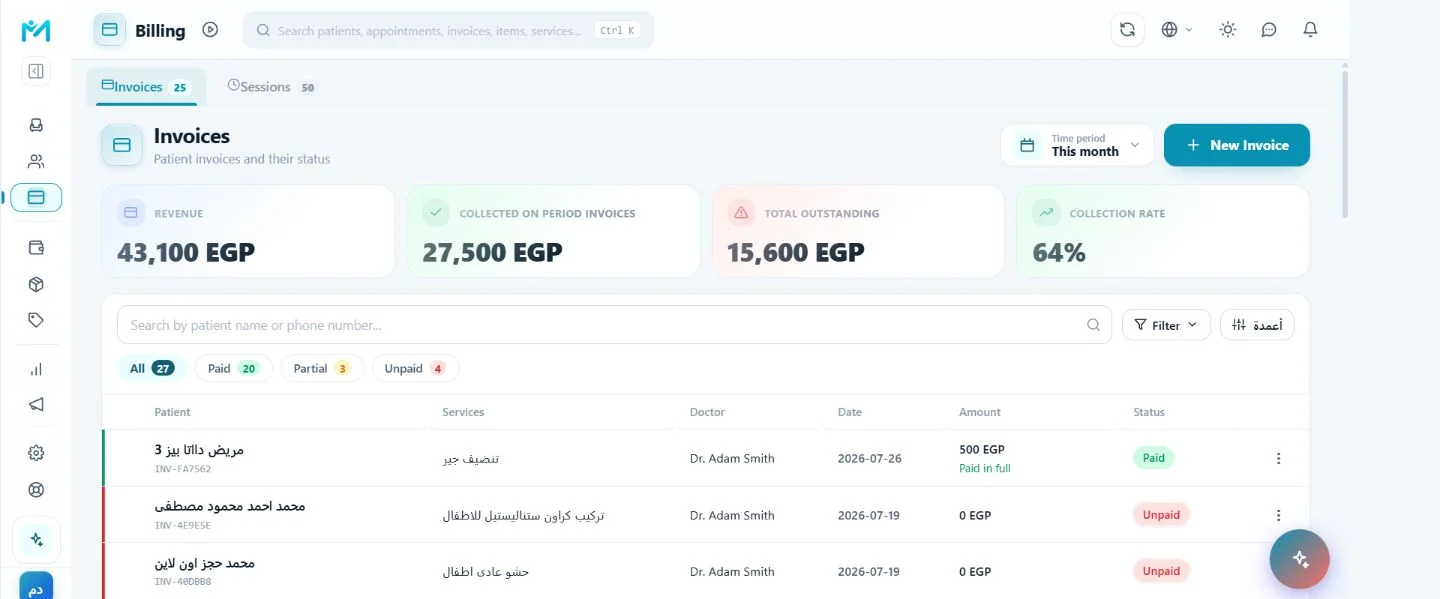
Connect delivered services to invoices and collections within the patient journey.
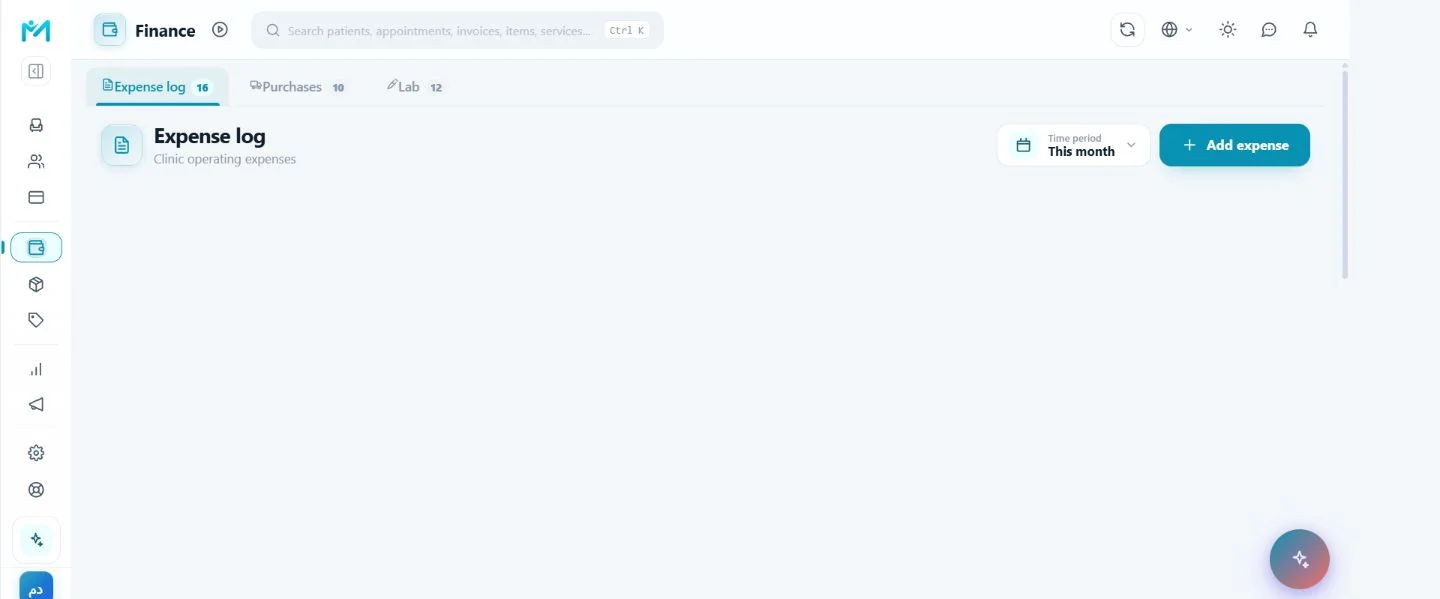
  • Create invoices from the clinic service catalog.
  • Record payments, issue receipts and follow remaining balances.
  • Documented discounts included in invoice totals.
Show remaining details
  • Clear open, paid and written-off states under system rules.
  • Daily collection and outstanding-balance tracking.
  • Link invoices to patients and visits when the relationship is available.
Explore this feature
Finance and service pricing04
04

Finance and service pricing

A practical view of expenses, obligations and cost—not sales totals alone.
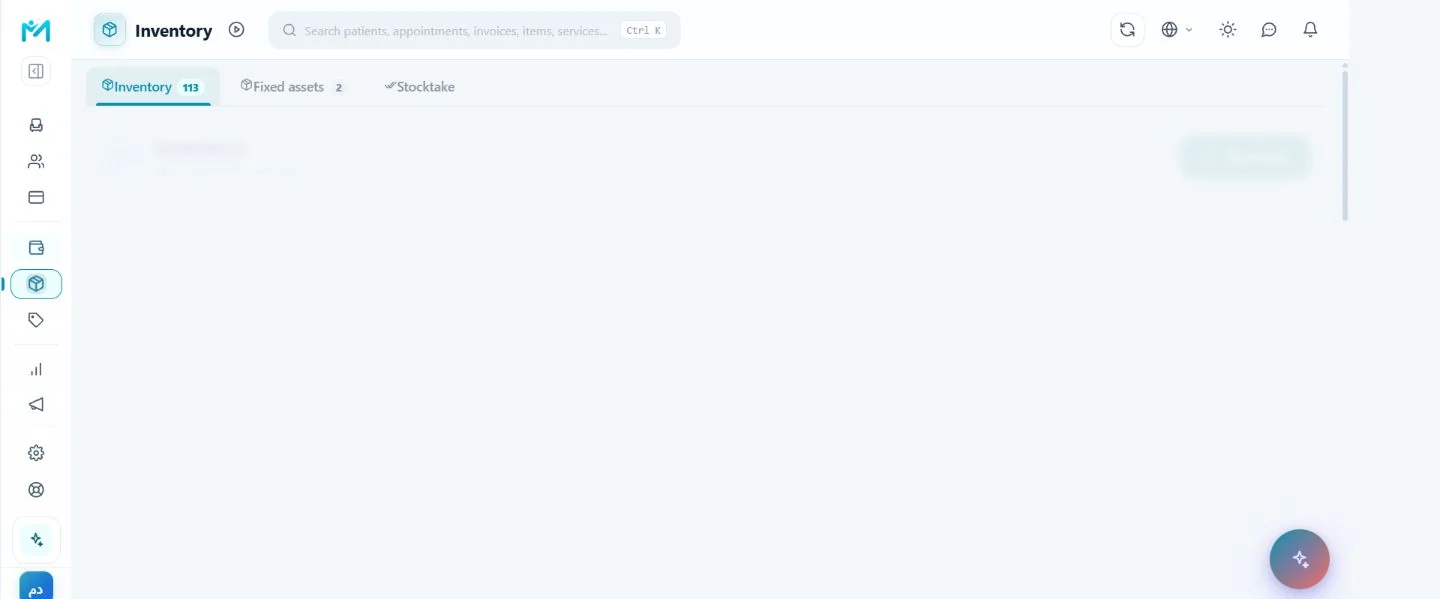
  • Expense capture, classification and period review.
  • Purchase invoices, payables and related payments.
  • Dental lab obligations and settlement tracking.
Show remaining details
  • Doctor commissions calculated from recorded rules.
  • Service pricing with material components for each service.
  • Service cost and margin based on recorded components.
Explore this feature
Inventory and stocktake05
05

Inventory and stocktake

Follow materials from receipt and movement through consumption and counting.
  • Item catalog with quantity, unit and core details.
  • Receipt, issue and adjustment movements with a reviewable history.
  • Connect consumable materials to services through a bill of materials.
Show remaining details
  • Low-stock signals that help teams notice shortages.
  • Periodic stocktakes with system and counted quantity snapshots.
  • Controlled close and reopen operations for a stocktake.
Explore this feature
Reports and analytics06
06

Reports and analytics

Turn operational records into indicators that support follow-up and decisions.
  • Appointment and reception-flow indicators by period.
  • Invoice, collection and outstanding-balance reports.
  • Service and practitioner performance views from available data.
Show remaining details
  • Stock, consumption and cost reporting.
  • Financial analysis for expenses and obligations.
  • Period filters and responsive tabbed views across devices.
Explore this feature
Modir AI: an extra pair of eyes on the clinic10
10

Modir AI: an extra pair of eyes on the clinic

An AI administrative assistant that surfaces what needs attention instead of making you hunt through screens.
  • A daily briefing across appointments, inventory, finance and operations.
  • Actionable signals such as sessions to review, low stock or unusual profitability indicators.
  • A direct chat for administrative questions about available clinic data.
Show remaining details
  • Dedicated insights and wins views for unresolved issues and measurable progress.
  • Voice dictation for faster questions during a busy clinic day.
  • Personal data typed into a question is removed before it reaches the AI service under the product flow.
Explore this feature
Voice diagnosis and dental chart11
11

Voice diagnosis and dental chart

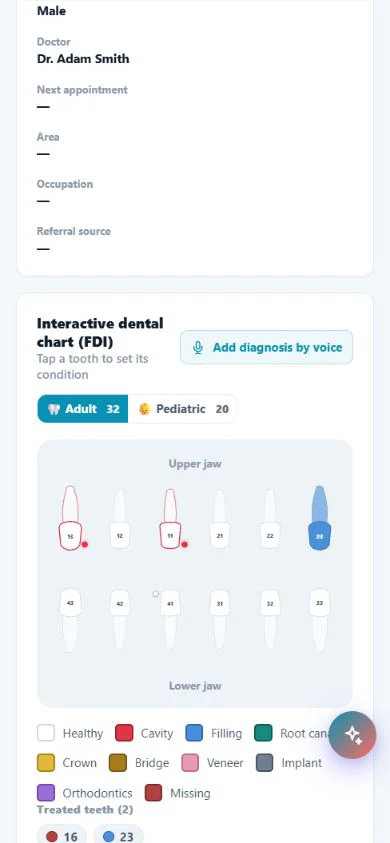
Turn the clinician’s spoken description into a structured dental-chart workflow instead of typing during the examination.
  • Start voice diagnosis from the patient record and dental chart.
  • Convert speech to text and review it before committing changes.
  • Confirm suggested teeth and conditions step by step to reduce input errors.
Show remaining details
  • Attach the approved result to the patient’s clinical record.
  • A bilingual Arabic and English workflow inside the product.
  • The voice recording is not retained after it is converted to text under the feature design.
Explore this feature
AI-powered clinic marketing12
12

AI-powered clinic marketing

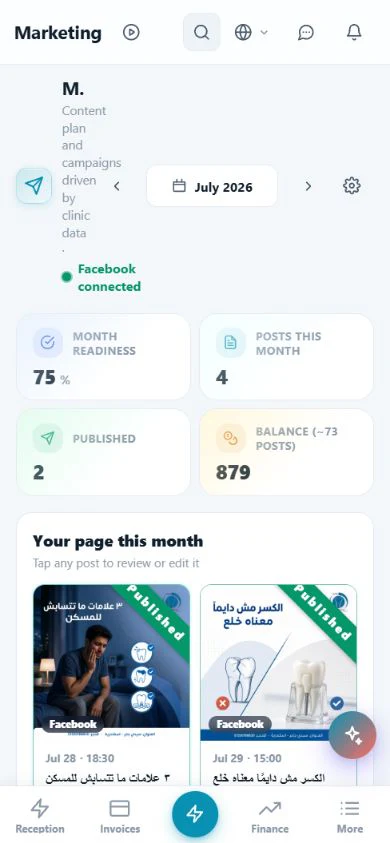
Turn clinic services and available data into a reviewable content plan instead of starting every post from a blank page.
  • A monthly content plan informed by the clinic’s available services and data.
  • Month readiness, planned posts and published posts in one view.
  • Suggested marketing ideas and copy that the clinic can review and edit.
Show remaining details
  • AI-assisted marketing creatives according to plan and credit limits.
  • Connected-channel visibility, including Facebook when enabled.
  • Clear credit and usage-limit tracking inside the marketing workspace.
Explore this feature
Smart waiting-room display14
14

Smart waiting-room display

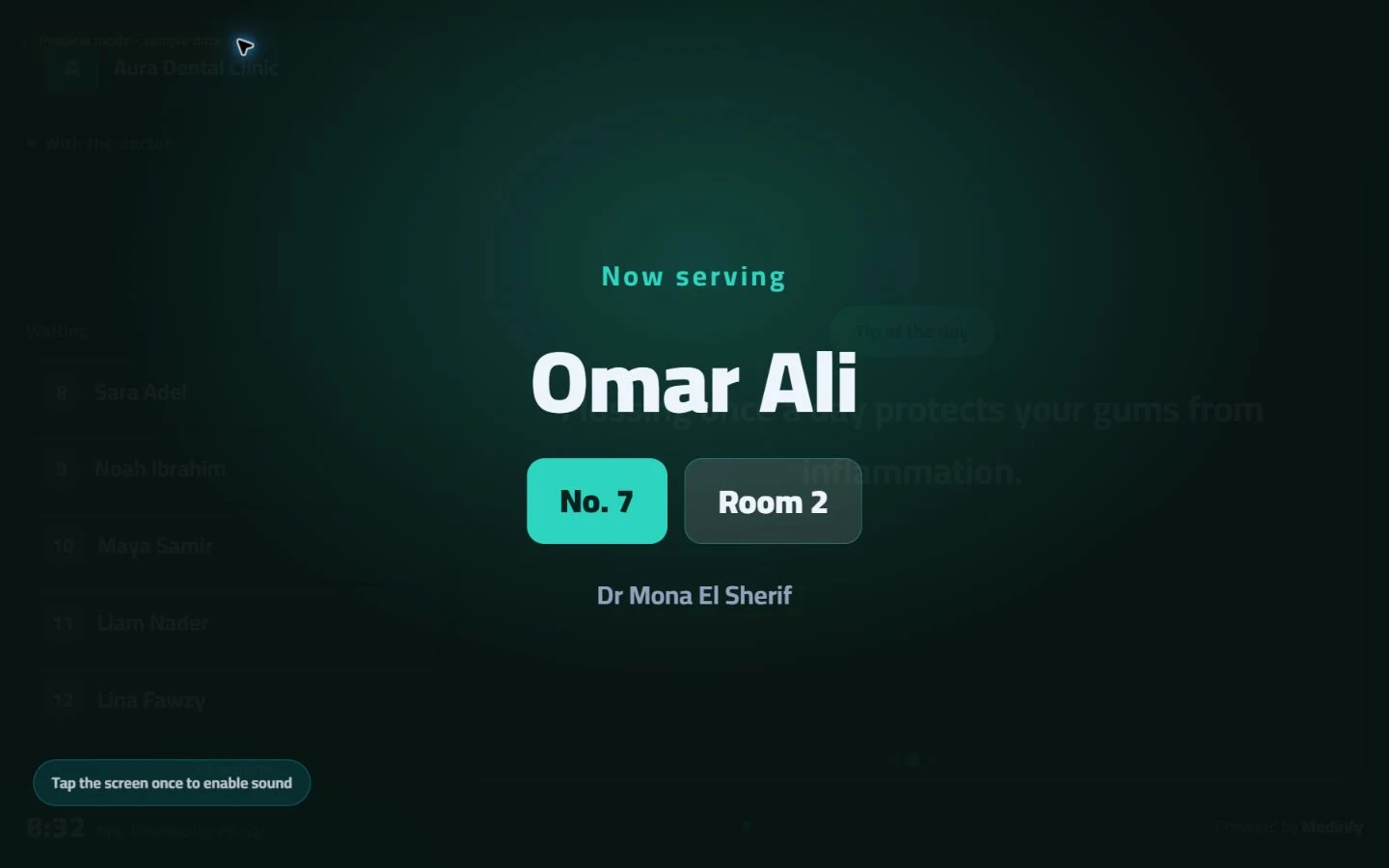
Turn the reception screen into an organized patient-flow and clinic-content experience.
  • Connect, name and manage multiple display screens from one place.
  • Show patient names or queue numbers according to clinic policy.
  • Choose the screen language and a visual theme that fits the clinic.
Show remaining details
  • Show custom tips or content from the Modirify library.
  • Play clinic-owned background audio and video clips with clear controls.
  • Show a Google review QR code and calibrate the screen edges before launch.
Explore this feature
Online booking and QR sharing15
15

Online booking and QR sharing

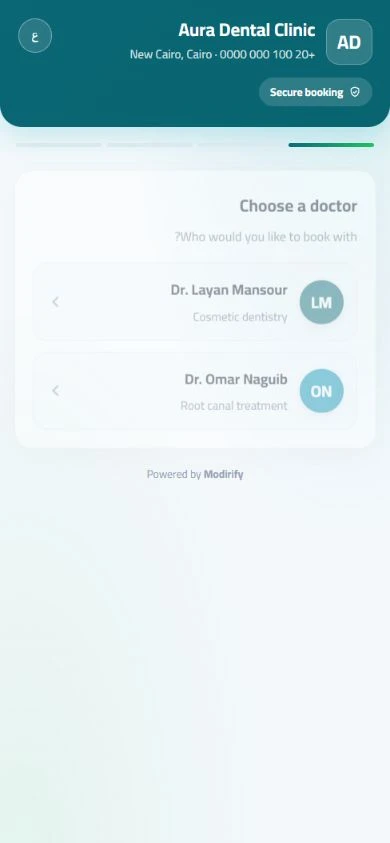
Make the clinic easier to discover and book through one public link and a shareable QR code.
  • Enable or disable online booking instantly from clinic settings.
  • A public clinic website link where visitors can discover the clinic and start booking.
  • A QR code ready for reception desks, print materials and social channels.
Show remaining details
  • Preview the public experience before sharing it with patients.
  • Download the QR as an image or print it directly from settings.
  • Manage the website and booking entry point from the same central record.
Explore this feature
Automated WhatsApp appointment reminders16
16

Automated WhatsApp appointment reminders

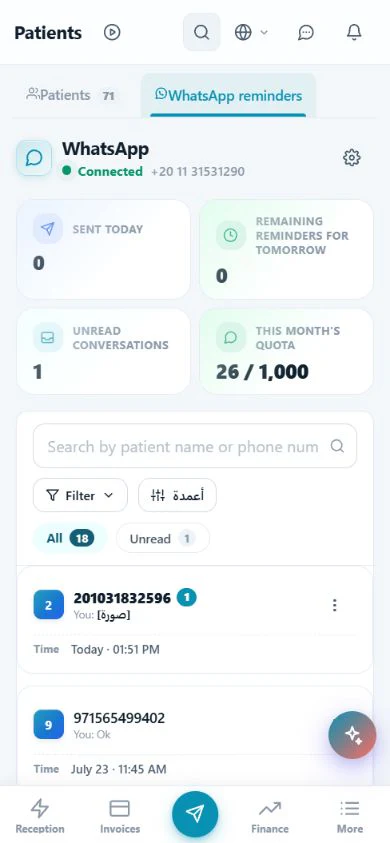
Reduce forgotten appointments and keep confirmations and conversations in one clinic follow-up flow.

  • Send appointment reminders when the WhatsApp channel and clinic configuration allow it.
  • Confirmation and cancellation messages that help reception know the status before the visit.
  • At-a-glance counts for sent messages, tomorrow’s reminders and unread conversations.
Show remaining details
  • A clinic-linked conversation inbox for following patient replies.
  • Visible monthly quota and remaining usage.
  • Consent, opt-out and plan limits respected for eligible messages.
Explore this feature

Clear answers

Frequently asked questions

Does every plan include every feature?

Core functions follow the active catalog, while message limits and some marketing and AI tools differ by plan.

Can it be used on multiple devices?

Modirify is cloud-based. Access depends on the user account, permissions and device connectivity.

Ready to get started?

Start with Modirify

A cloud platform that helps dental clinics manage everyday work in one place.

Start with Modirify